
Send an ELD Transfer Safely
Before you start
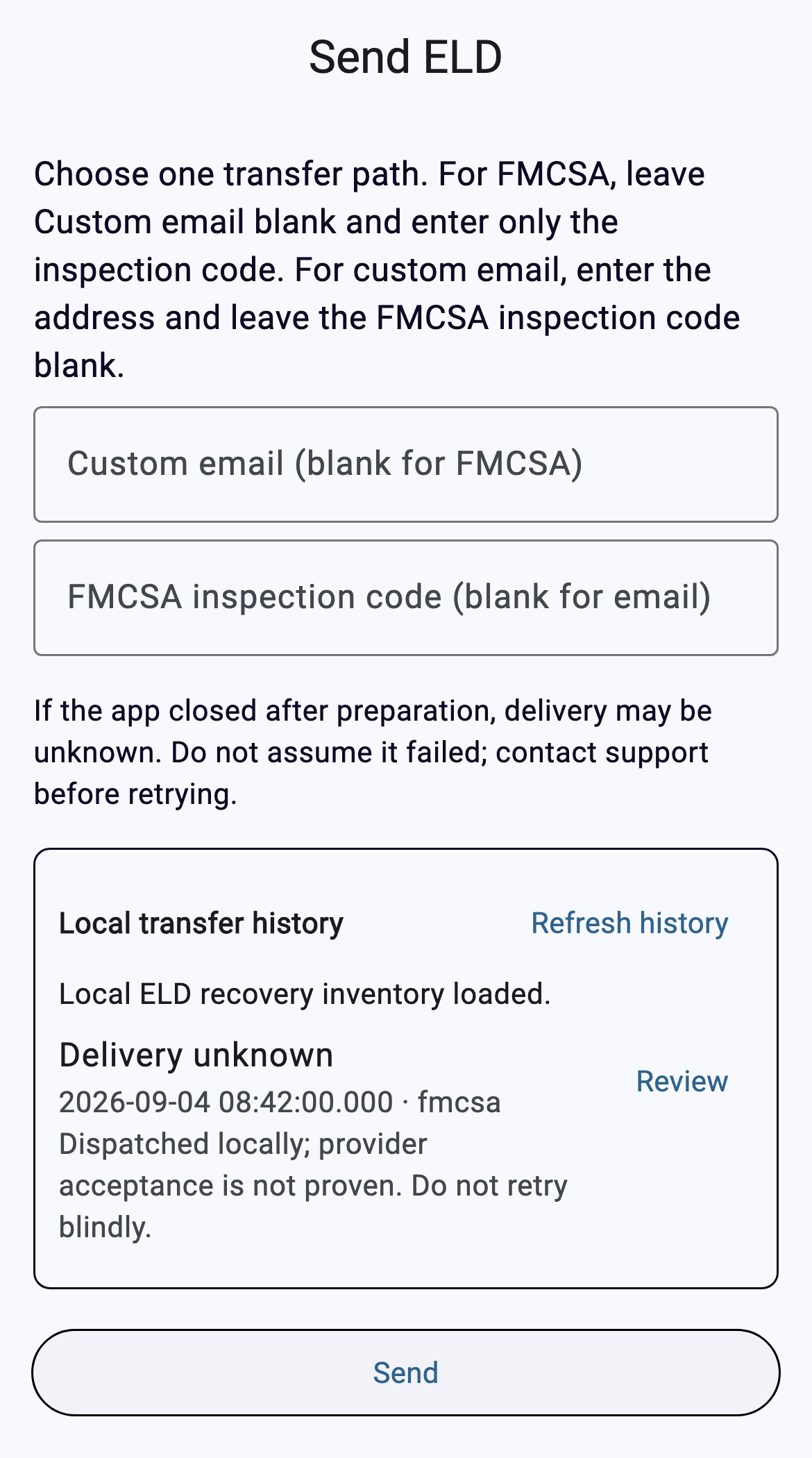
Confirm the correct driver/company and today’s loaded log. For an FMCSA roadside transfer, use the safety-official or investigation code supplied for the transfer. Custom email is separate and is not an FMCSA substitute.
Five steps
- Open Send ELD.
- Choose one path: custom email or FMCSA inspection code.
- Check the entry and tap Send once.
- Read the exact status. Local dispatch does not prove provider acceptance.
- Refresh local history and use Review. Review does not send or retry.
Delivery unknown? Do not retry blindly. Review local history and contact support before a new attempt.
Status key
- Not sent: correct the local validation/preparation problem.
- Delivery unknown: stop and investigate before retrying.
- Acceptance record unverified: the disconnected build does not prove live provider delivery or show Delivered.
Common fixes
- Both fields filled: clear one.
- No valid driver: return to Logs and reload the correct driver.
- History refused: stop; partial or inconsistent history is intentionally hidden.
- Unknown result: review history and contact support before retrying.