
DOT compliance software for driver files and follow-up
See how LBC Fleet can help your team track driver-file dates, request updated documents, and review proof before filing. The exact reminders, forms, and manager steps should be demonstrated in your configuration; software does not replace your compliance review.
For a plain-language breakdown of the workflow, see what DOT compliance software actually automates, what still requires human review, and what can run in one platform.
See the workflow live
Bring one driver-file workflow you want to test. We will show the available screens and identify any steps your team still owns.
Three things that make our DOT compliance automation software different
Built around driver-file work
LBC Fleet began with hands-on driver-file administration. In a demo, check the specific fields, alerts, and review steps your carrier needs against the applicable rules.
Review driver task follow-up
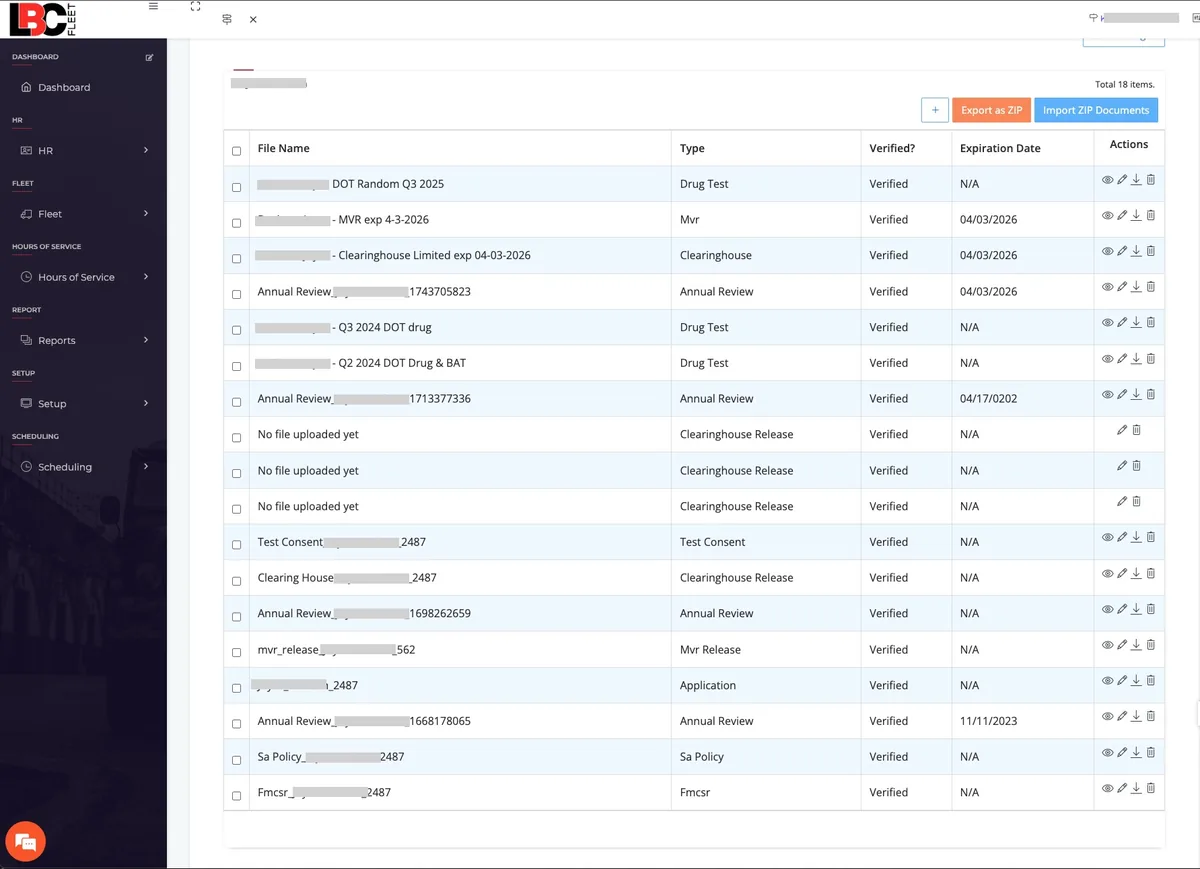
Ask us to show how an expiring item creates a driver request, how proof is uploaded, and where a manager reviews it before filing.
Get current pricing and terms in writing.
Your quote should state the billing unit, minimums, contract term, modules, and how charges change when drivers are added or removed.
Built with driver-file experience
LBC Fleet started with driver-file administration and audit preparation. That experience informs the software, but each carrier must still review its own records and applicable requirements. See our new-entrant audit preparation service if you need a separate records review.
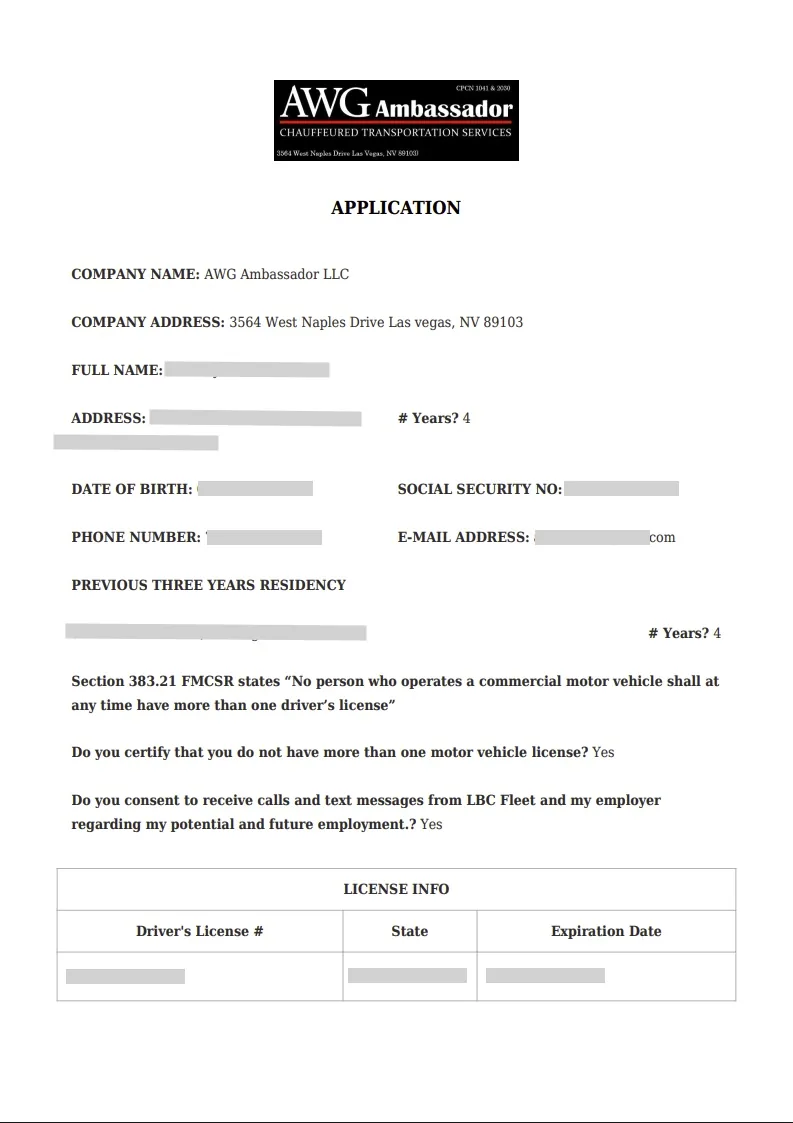
- Smart DQ packets: digital forms that auto-fill and enforce required fields.
- Applicant to employee in one flow: send the packet, order MVRs, background checks, and drug tests, then convert with one click.
- Driver-activated expiration tracking: the system messages drivers, captures proof, and waits for manager verification before filing.
- Pricing review: confirm current per-driver charges, module fees, minimums, and contract terms in your quote.
Test it: ask to see a sample DQ record, missing-item alert, and export before deciding whether the workflow fits your review process.
Documents alone do not complete a DQ review
A file can be neatly stored and still be incomplete. Compare your process with 49 CFR Part 391, then test how the software flags missing information and what a person must verify. Our FMCSA violation look-up tool can help frame questions for a demo.
The common problems
- Gaps in employment history
- Unsigned releases and missing forms
- Expired licenses and medical cards
- Hiring delays and lost candidates
What LBC fixes
- Driver request and proof-upload steps to test in a demo
- MVR, background-check, and drug-test handoffs to test in a demo
- Required-field checks to test with your forms
- Dashboard views and record access to test in a demo
Watch our DOT compliance automation software in action
This embedded applicant walkthrough is an orientation example, not verification of the current signed-in workflow. Use a live demo to confirm current labels, packet delivery, checks, and manager review.
- Add the applicant: name, phone, email. (This is what the walkthrough above shows.)
- Send packet: ask to see how an applicant receives and signs the current packet.
- Order checks: confirm the current MVR, background-check, and DOT drug-testing workflow and required consent for your operation.
- Approve and convert: ask who reviews results and how an approved applicant becomes an employed driver.
- Stay current: demonstrate expiration reminders, driver requests, proof upload, and manager review in your configuration.
Workflows to evaluate in a live demo
Customizable dashboard
Real-time compliance KPIs, expiring items, out-of-service views, upcoming tasks, and applicant progress.
Smart DQ packets
Auto-populate across forms, enforce work history, capture driving history, prevent gaps. Signed releases included.
Onboarding and termination checklists
Create checklists by company, department, or terminal. Upload documents and track acknowledgments.
Departments and terminals
Organize by location, set review schedules, and manage distributed teams with central control.
Reports you'll actually use
Compliance, utilization, maintenance, financial, and HR. Weekly due lists and audit support.
Incidents and random pools
Log incidents, trend filters, and manage random drug testing pools by quarter and agency.
Cost-saving fleet management
Track vehicle maintenance, prevent costly breakdowns, and reduce operational expenses with integrated fleet tools.
Built-in background checks and MVRs
Ask us to demonstrate the current ordering and service workflow for MVRs, background checks, and drug tests, including consent and any outside-vendor steps.
Expiration tracking with proof capture
LBC requests completion from drivers, collects photo or PDF proof, and routes for manager verification.
Start with the DQ workflow. Confirm other modules before adding them.
- ELD integration: confirm the provider, vehicle fit, HOS configuration, and any exceptions in a demo.
- DVIR and maintenance: Ask us to demonstrate how a reported issue moves from driver inspection to review, repair assignment, and closure in your configuration.
- Driver scheduling: ask to see current availability and dispatch workflows for your operation.
Ask which modules are available to your account and how each affects setup, price, and contract terms.
If operations rather than compliance is your starting point, the same platform is presented for that audience on our fleet management software page. Same product, different front door.
View PricingMake driver-file review easier to see and manage
Use a live demonstration to check how your team collects documents, reviews missing items, and prepares records for a compliance review. Outcomes depend on the quality of the underlying records and the carrier's follow-through.
DOT Compliance Automation Software FAQ
Can we start with the DQ workflow?
Ask us to show the current DQ workflow and identify which other modules are available to your account. The proposal should name what is included and what each addition costs.
How can we review expiring items?
In a demo, follow one expiring item from the alert through a driver request, proof upload, manager review, and filing. Confirm the timing and channels available in your configuration.
How do MVRs, background checks, and drug tests fit?
Ask us to demonstrate current ordering or service handoffs for each check, including consent, outside vendors, results, and who reviews them. Do not assume one release or workflow covers every check.
Can we include company policies and forms?
Bring a sample policy and form to the demo. We will show the current upload, acknowledgment, and signature options, then define what belongs in your packet.
Can the software prepare records for an audit?
Ask us to demonstrate the available required-field checks, driver requests, manager review, and record export. Your carrier remains responsible for complete, accurate files and for responding to an FMCSA review.
What should we compare before choosing software?
Bring your existing forms and follow-up process to a demo. Compare the fields, driver and manager steps, export, support, setup time, and written pricing and contract terms. We will identify which LBC workflows fit and which still need a person or another service.
Prefer hands-off compliance? We'll manage it for you.
Not every fleet wants to run software. LBC Fleet also offers outsourced DQ file management. Ask for a written division of responsibilities for driver contact, document review, corrections, and audit support.
That service is the cornerstone of our DQ-files cluster, and it is the human-managed alternative to running this platform yourself.
If you are weighing which side of that line you fall on, our guide to driver qualification files in one system walks through where the work actually lands either way.
Ready to stop chasing DOT compliance paperwork?
See how LBC Fleet can support driver-file follow-up and record review. Ask for a demo of the workflows your carrier needs, plus a written implementation and pricing scope.