Driver Qualification Files: Why Compliance and Operations Belong in One System
Driver qualification files are the DOT records that prove your drivers are legally qualified to be on the road — and they’re far easier to keep audit-ready when they live in the same system that runs your fleet, not in a separate folder or spreadsheet.
By the LBC Fleet compliance team
Ask a mid-size carrier how they manage driver qualification files and you’ll usually hear some version of the same answer: driver records in one folder or spreadsheet, maintenance in another, drivers and dispatch in a third, and a shoebox of medical cards somewhere in between. Each piece may be handled by a capable person. The problem is never any single record — it’s the space between the records, where an expired medical certificate or a skipped annual review quietly ages until an auditor asks for it.
That gap is why so many fleets are moving driver qualification files out of standalone folders and into a system that also runs their operations: when qualification and operations share one platform, the software sees the same driver from both sides — the operations side that schedules them and the compliance side that has to prove they’re qualified. This post covers what belongs in these files, where separate systems break down, and how to tell whether unifying them is worth it.
The fleets that struggle in an audit rarely have a knowledge problem. They have a hand-off problem — information that was correct in one system but never made it to the other before the deadline.
What this covers
What a unified system does for your files
Where separate systems break down
What changes on one platform
What belongs in driver qualification files
Software, managed service, or both
FAQ
What a Unified System Actually Does for Your Files
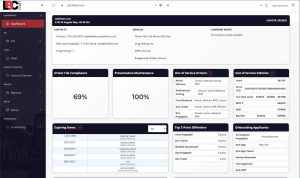
A system that manages driver qualification files well does three jobs at once: it stores the required records, watches every expiration date, and connects that compliance data to the operational data you already run the business on.
The term gets used loosely, so it helps to be specific. A document-storage tool holds files. A maintenance app tracks repairs. A standalone driver-file product handles qualification paperwork. Each solves one slice. Fleet compliance management software is the category that puts those slices under one roof and — more importantly — lets them talk to each other.
In practice, that looks like a system that can:
- Build and maintain a complete driver qualification file for every driver, with required fields enforced so nothing gets filed incomplete.
- Track every rolling expiration — medical certificates, licenses, annual reviews — and prompt the driver directly before the date passes, with escalation to a manager when a response lags.
- Order MVRs, background checks, and drug tests inside the same workflow, using the releases the driver already signed, rather than juggling separate vendor portals.
- Carry a driver from applicant to active employee without re-keying the same information into a second operations system.
The difference between software that merely stores compliance documents and true fleet compliance management software is that operational connection — it prevents the gap instead of holding the paperwork after the fact. LBC’s DOT compliance automation software is built around that principle.
Related readingWhat compliance software automates
↑ Back to top
Where Separate Systems Quietly Break Down
When compliance and operations live in separate systems, the failures are almost always at the hand-off — an expired document, a missed review, or the same data entered twice and matching in neither place.
Driver qualification files are among the most commonly cited areas in an FMCSA compliance review, and the citations rarely come from carriers who don’t understand the rules. They come from carriers whose systems didn’t surface the problem in time. A few patterns show up again and again:
The expiration nobody was watching. A DOT medical certificate is valid for up to 24 months — sometimes less, when the examiner shortens it. If that date lives in a spreadsheet column nobody opens between audits, it lapses while the driver keeps running and the violation accrues silently.
The annual review that never got documented. An annual MVR review isn’t just about pulling the record — it’s about proving you looked and acted. When the ops team knows a driver had a violation but the file has no dated evidence of a review, the knowledge existed and the documentation didn’t.
The double entry that drifts apart. Add a driver to the scheduling system and separately to the compliance system, and you now maintain the same person in two places. Update one, forget the other, and the records disagree — usually discovered at the worst possible moment.
The audit-notice scramble is the symptom, not the disease. If you’re assembling files after the notice arrives, the underlying issue is that the files were never continuously maintained in a system that keeps them current on its own.
For a closer look at the specific failure modes auditors find, our breakdown of why most DQ files fail in a real audit covers the recurring gaps in detail. The through-line is consistent: the information was usually available somewhere in the operation — it just wasn’t connected to the record that had to prove it.
What Changes When It’s All One Platform
On a single platform, the compliance record updates as a byproduct of running the fleet — onboarding, expirations, and vendor orders all feed the same file instead of requiring a separate maintenance habit.
The value of unifying compliance and operations isn’t a longer feature list. It’s that the compliance file stops depending on someone remembering to maintain it. The work happens once, and both sides of the business see it.
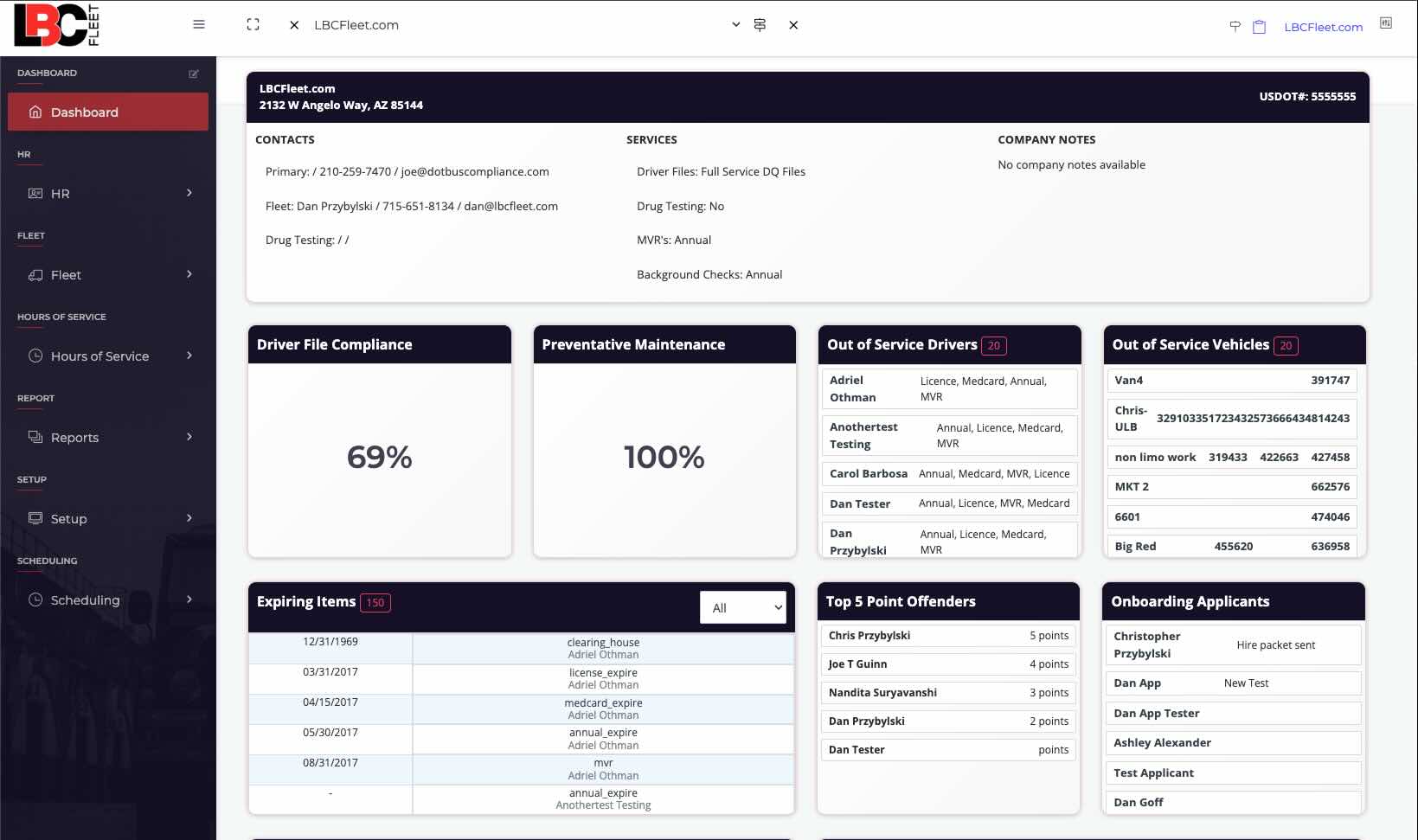
Concretely, a unified system collapses several separate chores into one flow:
- Applicant to employee in one motion. Send the hiring packet, order MVRs, background checks, and drug tests, then convert the applicant to an active driver — without re-entering anything into a second system.
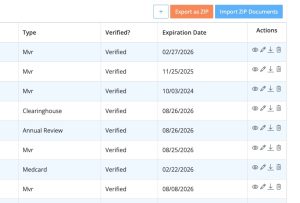
- Expiration control with proof. The platform requests the item from the driver, collects the upload as a photo or PDF, and holds it for manager verification before it’s filed. The date and the document arrive together.
- Operations and compliance on the same driver record. The person dispatch schedules and the file an auditor reviews are the same record, so a lapse is visible on the operational side before it becomes a citation.
If your interest is narrower — just the driver-file side, kept in-house — that same workflow is available on its own through our electronic DQ file software, while the broader operational side (maintenance records, work orders, telematics) is the domain of dedicated fleet management software. The point of a combined platform is that you don’t have to choose which half to keep current — both stay current because they’re the same system.
What Belongs in Driver Qualification Files
Driver qualification files must document that each driver is qualified to operate a commercial vehicle — hiring paperwork, prior-employer checks, license and medical status, and annual reviews — under 49 CFR Part 391.
Under 49 CFR Part 391, every interstate carrier maintains driver qualification files for each commercial driver, and the required documents group into a few buckets: the employment application and prior-employer safety-performance history at hire; a valid license or road-test certificate; a current DOT medical examiner’s certificate; and a documented annual review of the driver’s motor vehicle record. Those requirements don’t change whether you track them on paper or in software — what changes is how likely they are to stay current.
This is also where the operational stakes are highest. An incomplete file doesn’t just risk a fine — it feeds directly into your safety fitness standard, which shippers, brokers, and insurers all read. A weakened rating follows you into your next bid. So the file that seems like back-office paperwork is quietly tied to whether you win work.
Related reading
What belongs in a driver qualification file — the full checklist
If you’d rather not run the file yourself at all, outsourced DQ file management hands the entire process to a compliance team that maintains and cleans up the files for you. Software or service, the goal is identical: a file that shows each driver is qualified today, not last year.
Software, Managed Service, or Both
Choose software when you want your team in control day to day; choose a managed service when you’d rather hand compliance off entirely — and know that a good platform lets you start with one and add the other.
The honest version of this decision depends on who’s going to do the work. An operation with someone comfortable owning compliance tasks does well with software; a smaller team with no spare bandwidth is often better served handing the process off. Many fleets run a hybrid — software for the operational core, managed help for the parts that need a specialist. A modular platform makes that reversible: start with driver qualification automation and add maintenance, DVIR, or scheduling later, because the right configuration in year one is rarely the right one in year three.
Already have an audit notice in hand? That’s a different, time-boxed job — see DOT audit preparation services rather than a software rollout.
Talk through where your compliance and operations are currently split — and whether combining them is worth it for your operation. No pitch, just a straight read on your setup.
Book a 15-minute intro call
Explore the compliance platform
Frequently Asked Questions
What are driver qualification files?
Driver qualification files (DQ files) are the records the FMCSA requires a motor carrier to keep for every commercial driver, proving each one is qualified to operate a commercial vehicle. Under 49 CFR Part 391 they include the employment application, prior-employer safety-performance history, a valid license or road-test certificate, a current DOT medical examiner’s certificate, and a documented annual review of the driver’s record.
Can I keep DQ files electronically instead of on paper?
Yes. FMCSA allows electronic recordkeeping as long as the records are accurate, secure, readily accessible, and can be produced during an audit or roadside inspection. Digital files also make expiration tracking far more reliable than a paper folder or a spreadsheet.
Do I need separate software for compliance and for fleet operations?
You can run them separately, but that’s where most gaps appear — a record that’s correct in one system but never updates in the other. A combined platform avoids the hand-off by keeping both on the same driver and vehicle records.
Can the software order MVRs, background checks, and drug tests?
On LBC Fleet, yes — you can order all three inside the system using the releases the driver signed in the hiring packet, or keep your current vendors if you prefer. Keeping the orders in one workflow means results file straight to the driver’s record.
What if my team isn’t ready to run software?
Then a managed service is the better starting point. LBC Fleet also offers fully managed driver qualification file management, where a compliance team handles the entire process for you. Because the platform is modular, you can move to software later without starting over.
Does compliance software help with a DOT audit?
Indirectly but significantly. Software that keeps files continuously current and audit-ready removes the after-the-notice scramble, and records export cleanly for FMCSA review. If you already have an audit notice, though, that’s a separate, time-sensitive project best handled through dedicated audit preparation.