
Most DQ file problems are not intentional. They are follow up problems.
Electronic DQ file software that closes the loop. If your process depends on reminders, it breaks — and gets the file complete before the driver starts.
Audits do not care how hard you worked. They care what you can produce.
Missing documents, expired forms, and incomplete files build up quietly. You usually find out when someone asks for proof.
Schedule a Walkthrough Start Free 30-Day Trial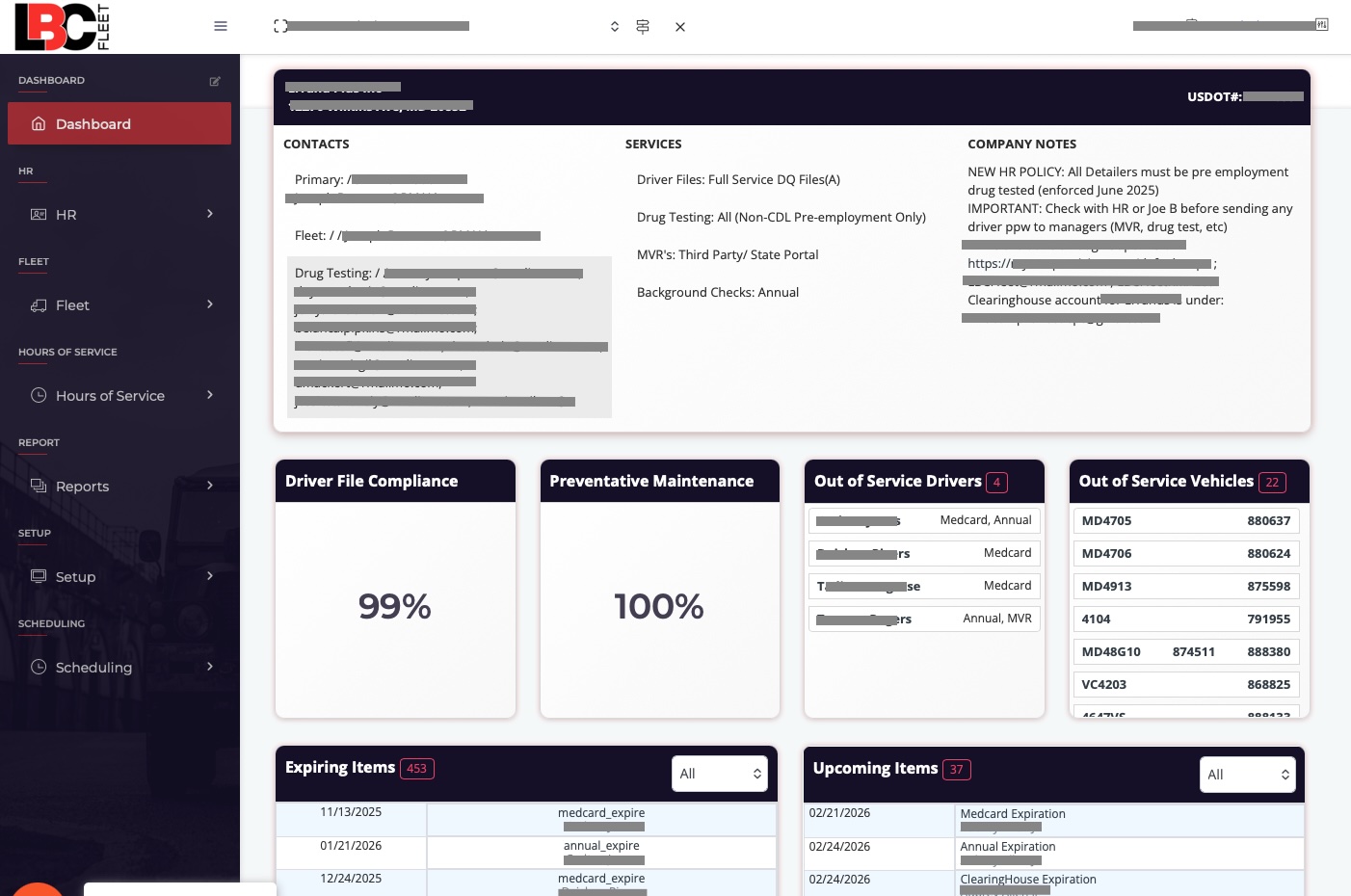
Spreadsheets can work. They just do not scale.
You can stay compliant with spreadsheets and paper files. Many do. The risk shows up when the company grows, staff changes, or the day gets busy. That is where electronic DQ file software pays for itself.
Hidden costs include:
- Staff hours chasing missing documents
- Rework caused by incomplete applications — see why most DQ files fail audit
- Files held together by one person's memory
- Scramble time when something expires
- Leadership distraction during inspections
Software is not the point. A finished process is the point.
The goal is a system that completes the file, then keeps it current.
Get a Quote DOT Compliance Resources
If the audit notice has already arrived: see DOT audit preparation services for what happens when you ran out of time to find the gaps.
This is not document storage. It is DQ file software built around compliance.
Storage is easy. The hard part is getting complete information, in the right order, with proof.
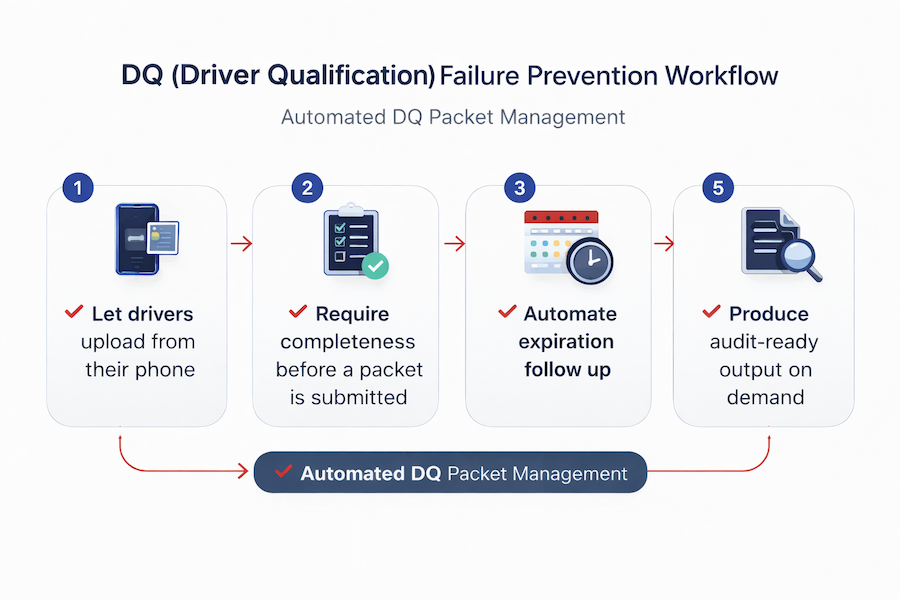
That means building workflows that:
- Require completeness before a packet is submitted
- Let drivers upload from their phone
- Automate expiration follow-up with proof capture
- Remove dependency on memory
- Produce audit-ready output on demand for mock or real DOT audits
Compliance should be boring. If it feels hectic, the process is not finished.
Prefer the human-managed alternative? See outsourced DQ file management — the cornerstone service this software is built around.
Compliance starts at hiring.
Most problems start early, when a driver is hired and the file is incomplete. This workflow prevents that. Watch the hire packet go out and documents come back inside LBC Fleet.
Open the walkthrough in a new tab → Quick reference: the hiring workflowYou enter the driver's name, phone number, and email address.
The driver receives a digital hire packet by text and email. They complete it on a phone, tablet, or desktop.
The packet is branded to your company and built to reduce back-and-forth. Common fields auto-fill as the driver completes the form.
Incomplete applications cannot move forward.
Worried about your CSA scores between hires? See CSA score monitoring — the leading indicator for audit risk.
Want to browse every walkthrough? See our full LBC Fleet software guide library.
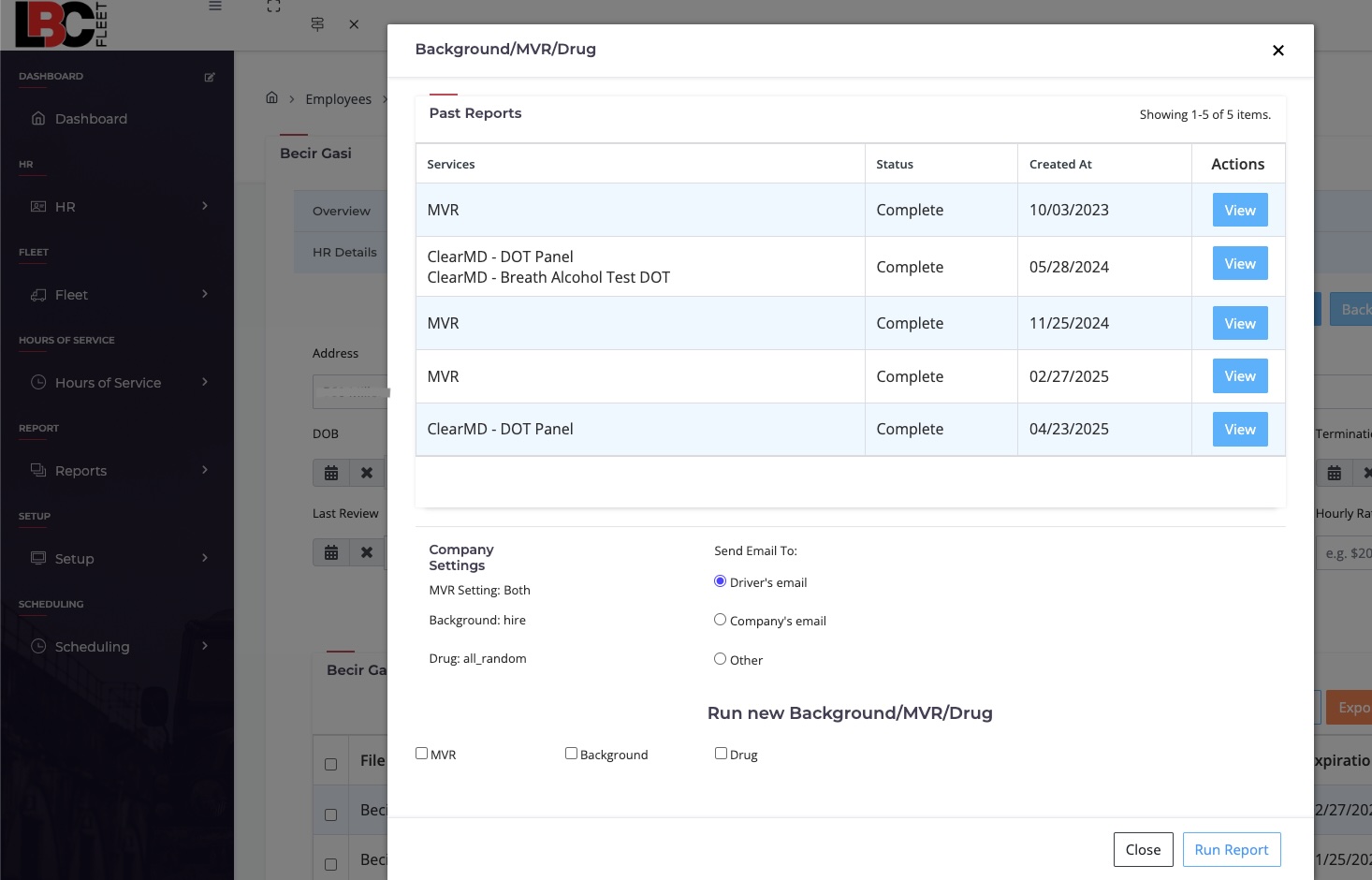
Review, verification, and ordering from one dashboard
When the packet comes back, your team gets notified. Documents are reviewed for completeness and license information is verified.
From the same screen: pull MVRs, order background checks, schedule DOT-required drug tests, and order driver physicals.
All documents are saved directly into the electronic DQ file with timestamps.
Verifying driver identity matters too. See FMCSA Clearinghouse identity verification for the verification step many fleets miss.
Living files that keep themselves current
As items approach expiration:
- Drivers are notified 30 days in advance
- Weekly reminders continue until it is resolved
- New documents are uploaded by the driver
- Staff verifies once
- The system updates the file and closes the loop
When audit time arrives, you can produce the file.
With one action, applications and supporting documents are printable and organized for the driver qualification portion of a DOT audit, per FMCSA Part 391. Want to see exactly what should be in a DQ file? Use our free DQ file checklist.
Compare the Full Platform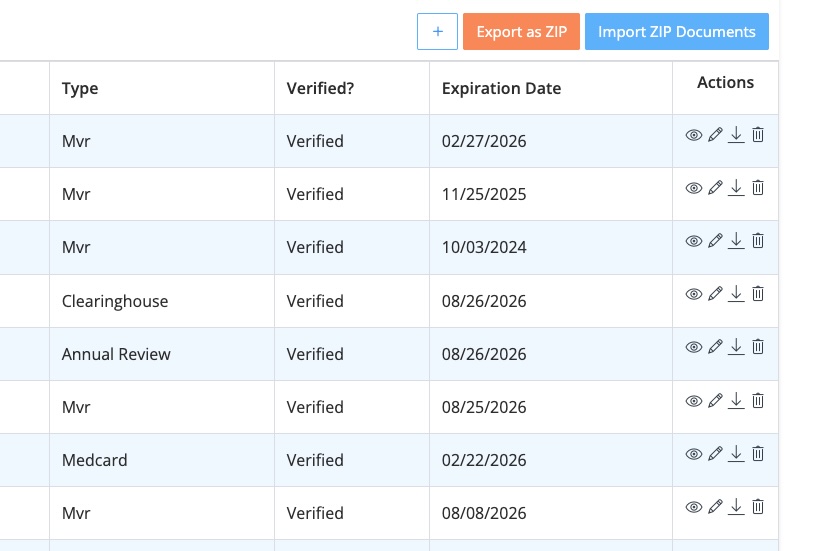
New entrant carrier? Your 18-month safety audit has a different standard — see new entrant safety audit preparation.
Electronic DQ file software built in the real world. Used in audits.
Our electronic DQ files have been used in 3,000+ real DOT audits since 2015.
This DQ file software was built by compliance professionals who know what inspectors ask for and how files get picked apart. Curious which violations are most commonly cited? See our FMCSA violation look-up tool.
When an auditor asks for a file, they want completeness and a clear timeline. That is what this produces.
Simple goal: clean files you can prove.
Common audit findings we see
- Missing employment verifications
- Expired medical certificates
- Missing annual MVR reviews
- Unsigned releases or applications
- Files held together by one person's memory
Compliance first. Add modules when you are ready.
Everything is modular. Pay for what you use. Start with DQ files and build from there.
Need operations too? DQ files run on the same platform as our fleet management software — start with compliance and bring in work orders, scheduling, and maintenance when you are ready.
⏱️Hours of Service Tracking 📱ELD Integrations 📝Electronic DVIR 🔧Fleet Maintenance 📊Audit-Ready Records 💰Cost Savings ProgramsStart with DQ files. Add the rest as needed.
View Pricing See the Full PlatformWho this system is built for
✓ This software is for:- Carriers who want files to stay current without constant chasing
- Safety managers responsible for too many moving parts
- Owners who want a predictable process
- Teams who want the file complete before the driver starts
- Companies scaling beyond spreadsheets
- Companies looking for the cheapest reminder tool
- Teams unwilling to standardize their process
- Carriers who want software to cover ignored compliance
Frequently Asked Questions
Is this compliant with FMCSA requirements?
Yes. The system is designed around FMCSA Part 391 driver qualification rules and has been used through 3,000+ real DOT audits since 2015.Can drivers complete everything from their phone?
Yes. The entire hire packet and document upload process is mobile-friendly.What happens during an audit?
You can produce complete files quickly. Output is organized with timestamps and a clear paper trail.Can we still use our existing ELD or vendors?
Yes. The platform integrates with existing ELDs and expands modularly.Is this just a document storage system?
No. This electronic DQ file software controls intake, requires completeness, automates expirations, and produces audit-ready output. Storage is part of it, not the point.What if we'd rather have someone manage our DQ files for us?
That's our outsourced DQ file management service — fully outsourced, no software training needed. Same audit-tested approach. Many carriers start there and migrate to the software once they're scaled enough to bring it in-house.Want to see the workflow end to end?
We will show the hire packet, the dashboard, and the audit export.
Then you decide if it fits your operation.
Before the walkthrough, review how to evaluate compliance software, including what it should automate and what still requires a person.
Schedule a Walkthrough Start Free 30-Day Trial Or Have Us Manage It For You