Send the record. Keep the truth.
Prepare an FMCSA or custom-email transfer, read the app’s exact delivery status, and review local history without accidentally sending twice.
1 Open Send ELD
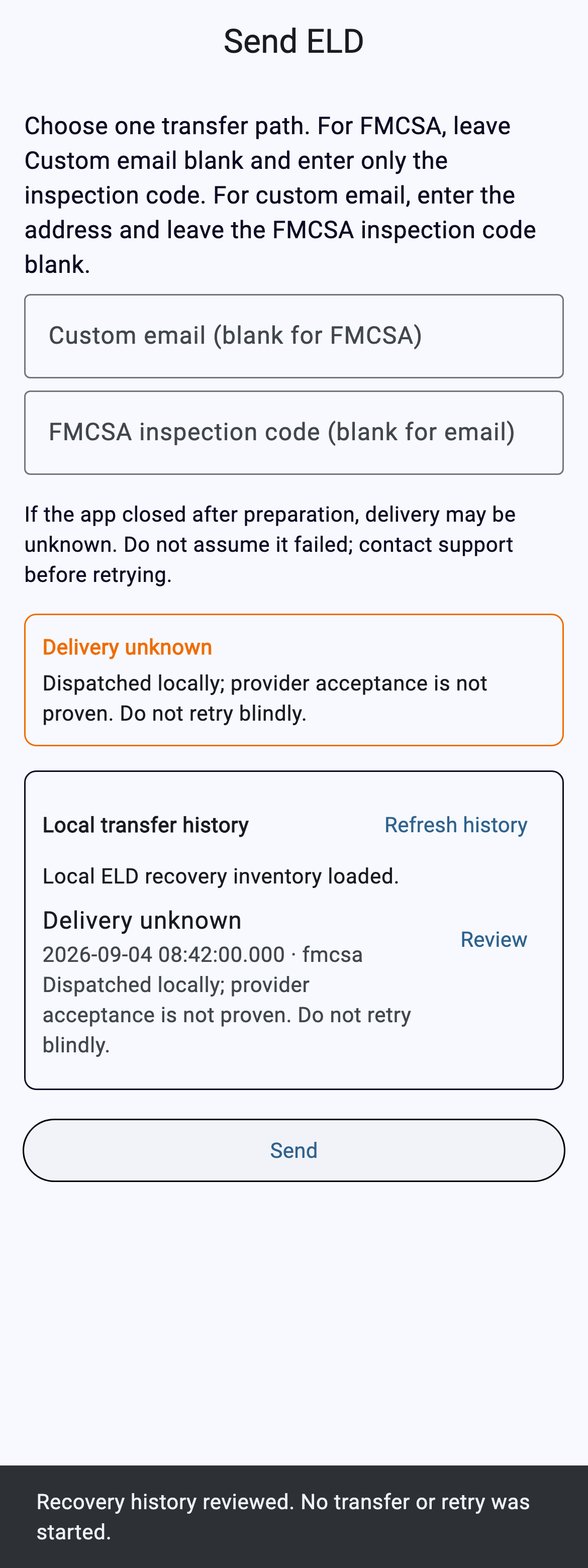
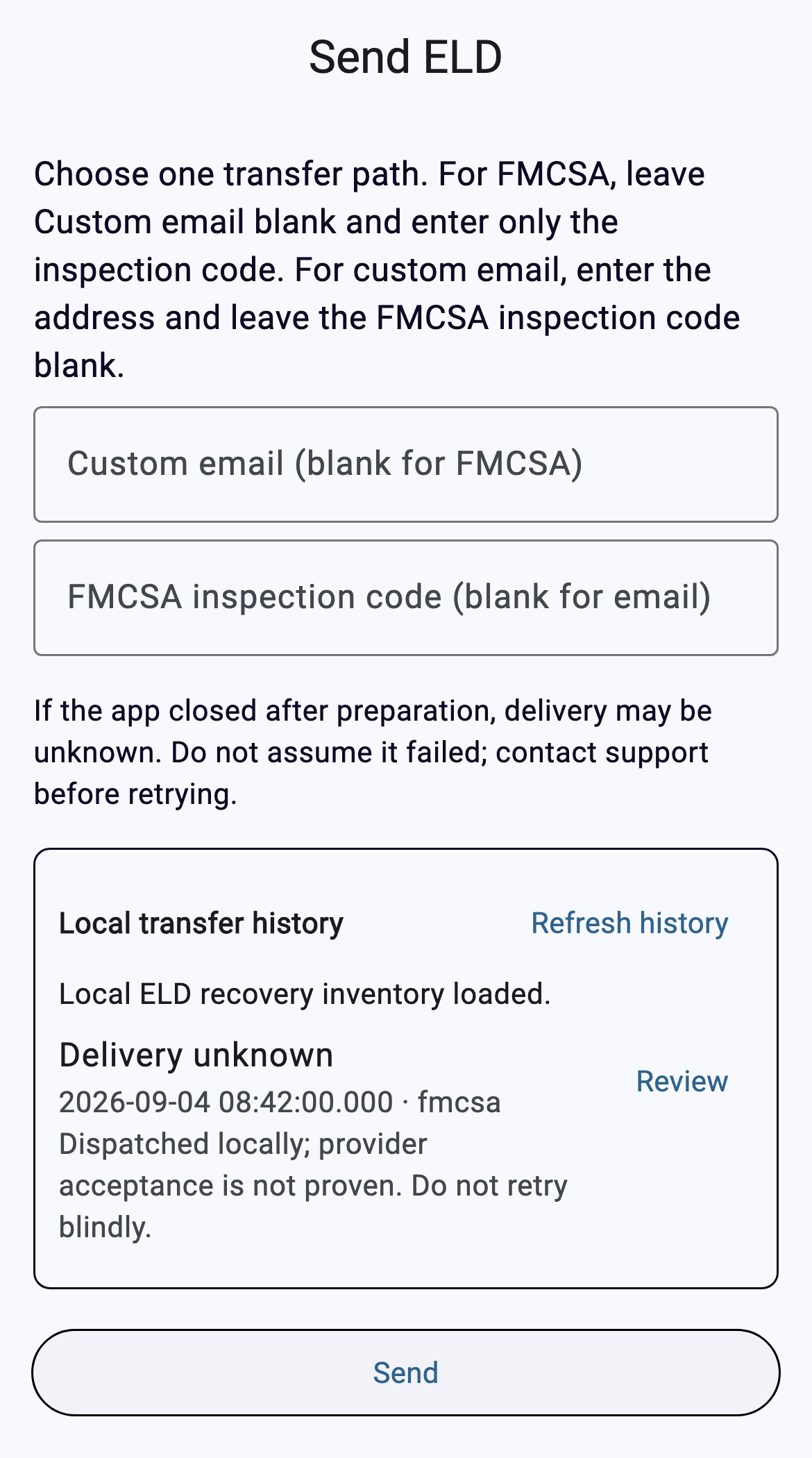
From the current Driver App inspection/log workflow, open Send ELD. Confirm the page title before entering anything.
2 Choose exactly one destination
For an FMCSA roadside transfer, leave Custom email blank and enter only the safety-official or investigation code supplied for the transfer. The separate Custom email path is not a substitute for an FMCSA transfer.
3 Check the fields, then tap Send once
Do not enter both destinations. Tap Send once and wait while the app prepares and dispatches the transfer.
4 Read the delivery truth
A local dispatch or an HTTP response is not the same as provider acceptance. If the app says Delivery unknown, do not assume success or failure—and do not retry blindly.
5 Review local transfer history
Use Refresh history, then Review on the relevant record. Review only displays verified local history; it does not send or retry anything.
Troubleshooting
Both fields are filled
Clear one. The app permits one destination per attempt.
No valid driver record
Return to Logs and load the correct driver record before preparing a transfer.
Connection unavailable before request
No provider request was constructed. Restore connectivity, then follow the app’s new-attempt guidance.
Connection lost after dispatch began
Delivery is unknown. Review history and get new authorization before another attempt.
History cannot be verified
Stop and investigate. The app refuses to show partial or inconsistent history.
The transfer result is unknown
Review local history and contact support before retrying. Any visible detail does not by itself prove rejection, delivery, or acceptance.