Updated October 2026. This article originally described a Samsara–LBC Fleet integration as if every connection and feature were available. Treat those 2025 statements as unverified history. The useful question now is simpler: can the current setup move the specific information your team needs, reliably and with the right permissions? Ask to see it before you buy or change a compliance process.
What to check when you use Samsara and LBC Fleet
Start with one vehicle and one ordinary workday. Write down what you want each system to do: location or mileage, a driver-reported issue, a maintenance due date, an HOS record, or a document for a manager to review. Then ask for a live demonstration using test data. Do not assume a screen in one product means the same record automatically appears in the other.
1. Confirm the actual connection
- Which current Samsara data fields can LBC Fleet receive or display, and which require a separate login?
- Who authorizes the connection, which account and vehicles are included, and how can access be revoked?
- How often does information update? What does a manager see when a device is offline, a permission expires, or a sync fails?
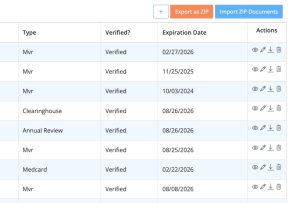
- Can you export a sample record with its original source, time, and vehicle identity intact?
2. Walk through the maintenance handoff
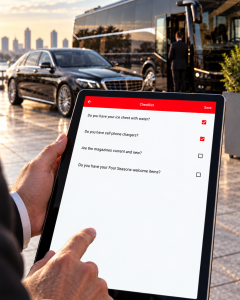
Use a test inspection or vehicle issue. Have the team show where a driver reports it, where a manager sees it, who decides whether the vehicle can be dispatched, and how repair assignment and closure are recorded. Ask which steps are manual. A camera alert or diagnostic code is information to review; it is not a repair order or proof that a defect was fixed.
3. Separate records from compliance decisions
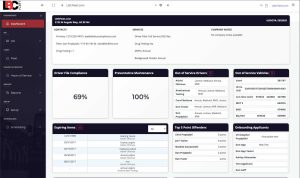
If you use an ELD or driver-file workflow, check the provider, vehicle fit, applicable HOS configuration, exceptions, access, and export. Neither an ELD nor a software integration by itself makes a carrier compliant. Someone still has to review accurate records, resolve gaps, and follow the rules that apply to the operation.
Before you commit
- Run a contained test with one vehicle and sample records; do not upload private driver or customer information just to evaluate a sales claim.
- Get the current integration, modules, support responsibilities, implementation steps, contract term, and price in writing.
- Compare the demonstrated workflow with the tools you already use. Do not retire another system until its required records and handoffs are proven in the replacement.
For the LBC side of that test, review our current DOT compliance software overview and ask us to demonstrate the exact Samsara, ELD, driver-file, and maintenance steps your fleet needs. That overview describes evaluation questions; this article is not confirmation that a particular connector or feature is active in your account.
Samsara is a trademark of Samsara Inc. Mentioning it here does not imply Samsara’s endorsement of LBC Fleet or a currently verified integration.